CRA SimpleFile Digital 2026: Should You Use the New “Auto-Fill” Tax Pilot?
If you got a letter or email from the CRA this March that said “You’re invited to use SimpleFile Digital” — you’re not alone. Over 3 million Canadians are now eligible for this service, and many are wondering the same thing: is this legit, and should I use it?
Short answer: yes, it’s real, yes it’s safe — but there are a few things to know before you click “file.” As a CPA, here’s the honest breakdown.
Filing your taxes — even if you have no income — is how the CRA confirms your eligibility for benefits like the Canada Groceries and Essentials Benefit, the Canada Workers Benefit, and the Ontario Trillium Benefit. Don’t skip it.
What Is CRA SimpleFile Digital?
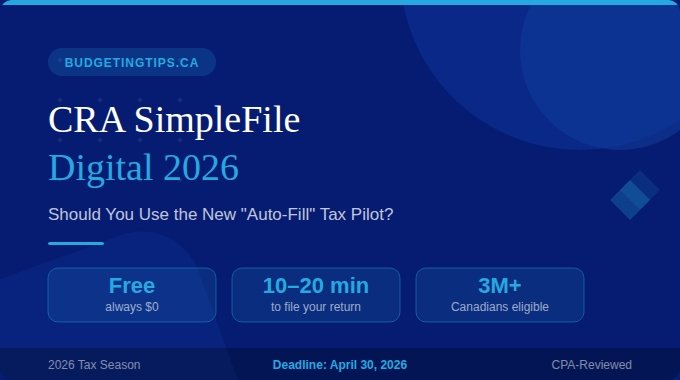
SimpleFile Digital is a free, CRA-run tax filing service for Canadians with a lower income and a simple tax situation. Instead of filling out forms yourself, you answer a series of quick questions online. The CRA then uses your answers — combined with the tax slips and data they already have on file — to complete and submit your return for you.
Think of it as the CRA doing the heavy lifting using information they already have about you. There are no calculations required on your end, no forms to download, and no software to install.
The service takes between 10 to 20 minutes to complete. It’s free, always.
Check your CRA My Account online first — even if you received a paper letter in past years, your 2026 invitation may now be digital only. Also check your physical mail for a SimpleFile invitation package sent in early March.
I Didn’t Get an Invite — Can I Still Use It?
Yes. This is one of the biggest changes for the 2026 filing season. As of February 23, 2026, the CRA launched a new eligibility questionnaire that lets you check — and use — SimpleFile Digital even without a formal invitation code.
Visit canada.ca/simplefile and click the SimpleFile Digital link to access the questionnaire.
Generally, you may qualify if you:
- Were a Canadian resident for all of 2025
- Have no income, or income limited to specific sources below a set threshold
- Have a simple tax situation (T4 employment, CPP, OAS, EI — no rental, business, or investment income)
- Are not bankrupt and were not under age 15 in 2025
Note: exact income thresholds vary by province and territory based on age, disability status, and where you live. The questionnaire will confirm your eligibility in minutes.
SimpleFile Digital only files your federal return. If you live in Quebec, you still need to file a separate provincial return with Revenu Québec.
Is SimpleFile Digital Safe and Legitimate?
100% yes. SimpleFile Digital is an official CRA service, not a third-party app or sponsored tool. It’s hosted on Canada.ca, the Government of Canada’s official website.
However, before you can access it, you’ll need to be set up properly:
If you don’t have one, register at canada.ca/my-cra-account. You’ll need your SIN, date of birth, and your most recent tax return.
The CRA now requires MFA (a one-time code sent to your phone or email) to log in. This is mandatory for the 2026 season — set it up before filing day to avoid delays.
If you received an invitation, your access code (called a “validation code” on the letter) will be required to begin. It’s on your invitation letter or in your CRA account inbox.
The CRA uses your answers plus their existing data to complete your return. You’ll receive a Notice of Assessment (NOA) once it’s processed.
The CRA will never text or email you a link asking you to log in directly. Always type canada.ca into your browser manually. Scammers often send fake “SimpleFile” invitation messages this time of year.
Will You Get a Bigger Refund? (The Part Your Accountant Would Tell You)
SimpleFile is designed for speed and simplicity — and it delivers on both. But speed comes with a trade-off: the system only works with what the CRA already knows about you.
Here’s the Budgeting Tip most articles won’t tell you:
If you have employment expenses you can claim (like home office costs, union dues, or tools), moving costs for work or school, or childcare expenses — SimpleFile’s questionnaire may not prompt you to include them. These deductions can meaningfully reduce your taxable income or increase your refund. If any of these apply to you, consider using standard NETFILE tax software instead so you can manually enter the full picture.
For the vast majority of SimpleFile users — seniors receiving CPP and OAS, students with a single T4, or individuals with no income — this isn’t an issue. SimpleFile will get you the same result as any other method. But it’s worth a quick mental checklist before you proceed.
Last year, the CRA issued 19 million refunds, with an average payment of $2,000. Filing — even with no income — also triggers benefit eligibility checks, which can put thousands of additional dollars in your pocket throughout the year.
SimpleFile Digital vs. Standard NETFILE Software
Not sure which method is right for you? Here’s a side-by-side comparison:
| Feature | SimpleFile Digital | Standard Tax Software (NETFILE) |
|---|---|---|
| Cost | $0 — Always Free | $0 – $40+ depending on software |
| Time to Complete | 10–20 minutes | 45+ minutes |
| Complexity | Very Low — questionnaire format, no forms | Moderate — you navigate forms and fields |
| Best For | T4s, CPP, OAS, EI income only | Side hustles, stocks, rental income, self-employed |
| Eligibility | Income < ~$12,747 (standard basic personal amount); varies by province | Anyone with a SIN |
| Employment Expense Claims | Limited / may be missed | Fully supported |
| Moving Cost Deduction | May not be prompted | Fully supported |
| Quebec Provincial Return | Federal only — separate Revenu QC return needed | Most software files both together |
| Invitation Required? | No — use the eligibility questionnaire | No |
SimpleFile and the Canada Groceries and Essentials Benefit
This is where it gets really important for lower-income Canadians.
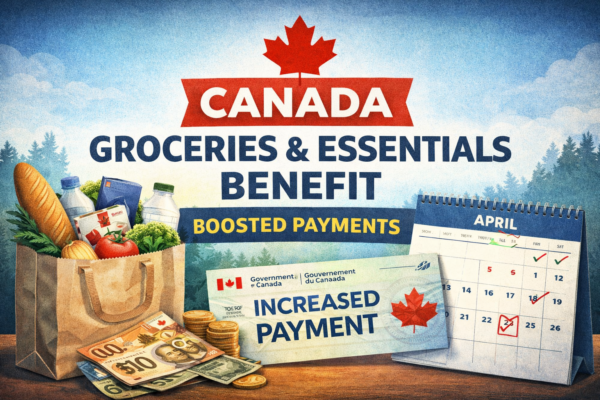
The Canada Groceries and Essentials Benefit (formerly the GST/HST Credit) is a tax-free quarterly payment designed to help lower-income individuals and families offset essential costs. Filing your taxes is how the CRA determines whether you qualify and calculates your payment amount.
When you file using SimpleFile Digital, the CRA automatically checks your eligibility for:
In total, the CRA issued $56 billion in benefit payments last year alone to tax filers. Not filing — even when you think you owe nothing — means potentially missing all of these.
Many Canadians assume there’s no point in filing if they have zero income. This is one of the most expensive mistakes you can make. Filing is what unlocks benefit payments — and the CRA uses your previous year’s return to set your payment amounts for the year ahead.
Key Dates for the 2026 Tax Season
- February 23, 2026: Tax filing season opened; SimpleFile eligibility questionnaire became available
- March 9, 2026: SimpleFile Digital officially opened for filing
- April 30, 2026: Tax filing deadline for most Canadians; any taxes owed must also be paid by this date
- June 15, 2026: Extended deadline for self-employed individuals (but any balance owing is still due April 30)
- Fall 2026 (proposed): CRA “deemed filing” pilot — if passed, the CRA could file on behalf of eligible non-filers automatically
If you file online and have direct deposit set up, you can receive your refund in as few as 8 business days. Paper filers wait 8+ weeks. Set up direct deposit in CRA My Account before you file.
Frequently Asked Questions
Bottom Line: Should You Use SimpleFile Digital?
If you have a simple tax situation — use it. It’s free, fast, and officially run by the CRA. For seniors on CPP/OAS, students with one T4, or anyone with low or no income, it’s the easiest way to file and get your benefits confirmed for the year.
If you have employment expenses, moving costs, or any income complexity — think twice. Use NETFILE-certified software (many options are free) to ensure you’re claiming every deduction you’re entitled to. A $300 employment expense deduction is worth catching.
Either way, file by April 30, 2026. Every day you delay filing is a day you’re potentially leaving benefit money on the table.
☐ Log into CRA My Account and check for your invitation
☐ Set up Multi-Factor Authentication (MFA) if not done
☐ Try the eligibility questionnaire if no invite received
☐ Review: do you have any employment expenses or moving costs to claim?
☐ Set up direct deposit for fastest refund
☐ File before April 30, 2026